Case Details
Is your Wi-Fi signal incredibly weak? Your internet or video streaming experience is stuttering! You can't access the internet even though you have a Wi-Fi signal! There's a kind of Wi-Fi signal called "other people's signal is simply stronger than your own!"
So, this issue shares the story of Wi-Fi signals.
As we all know, Wi-Fi signals are primarily transmitted via radio waves. As wireless signals propagate through the air, interference and loss occur along the way. Let's take a look at how interference and loss specifically affect them:
1. Significant signal attenuation occurs when the wireless router is far away.
Wi-Fi standards strictly limit device transmit power. Indoor antenna gain cannot exceed 5dBi. Furthermore, Wi-Fi signals decay exponentially in space, with signal strength decreasing by 20dBm for every 10 times the distance in free space.
Since indoor antenna gain is generally within 5dBi, does a longer antenna mean a stronger signal?
You're right! Antenna gain is largely determined by its size. There are 1dBi, 3dBi, and 5dBi antennas. Even if they're both 5dBi, the longer one can still provide some improvement in reception sensitivity, even if it doesn't increase gain. Now you understand why sometimes you can't access the internet even though there's still a bar of Wi-Fi signal. That's because the antenna's reception sensitivity isn't high enough.

Because although the signal can be sent to the mobile phone, the signal sent back by the mobile phone is not received by the router! (The router has been designed to avoid this blind spot as much as possible, but different mobile phones have different transmitting and receiving antennas, so this point cannot be completely avoided...)
So, does more antennas mean a stronger signal?
You can understand it that way, but it's not like 1+1=2, where the signal gets stronger. Instead, multiple antennas use MI-MO (Multiple-Input Multiple-Output) technology. MIMO technology combines the gain of each channel, enhancing signal quality. While the gains of all individual channels aren't linearly added together, users will still experience a stronger signal.
2. Obstacles such as walls can also significantly weaken wireless signals.
Objects that primarily cause signal attenuation include metal objects, walls (especially load-bearing walls), and large furniture/appliances.
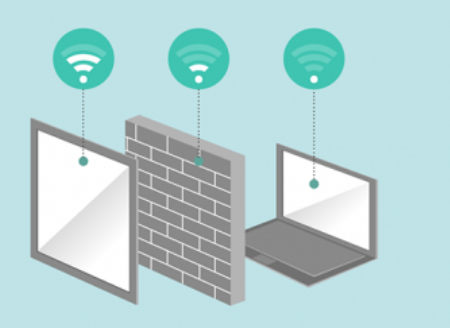
The following is the penetration loss of some materials:
- Building materials - 20-40dB
- Reinforced concrete partition walls (load-bearing walls) - 30dB
- Storey obstructions - 30dB
- Ordinary concrete walls - 10-18dB
- Hollow brick walls - 4-6dB
- Simple gypsum board walls - 3-5dB
- Ordinary glass doors and windows - 2-4dB
- Wooden doors - 3-5dB
- Coated glass doors and windows - 12-15dB
- Wooden furniture, doors, and other wooden partitions - 2-15dB
- Special materials - Impermeable
Furthermore, the actual penetration loss of WLAN signals through walls at an angle is much greater than the penetration loss when the signal is directed directly, severely degrading signal quality. Therefore, when planning AP installation locations, you should minimize the angle of incidence of the signal penetrating walls.
PS: This also explains why it often feels like the neighbor's Wi-Fi is stronger than yours. It's possible that your router is in another room behind a wall, while your neighbor's is only separated by a window.
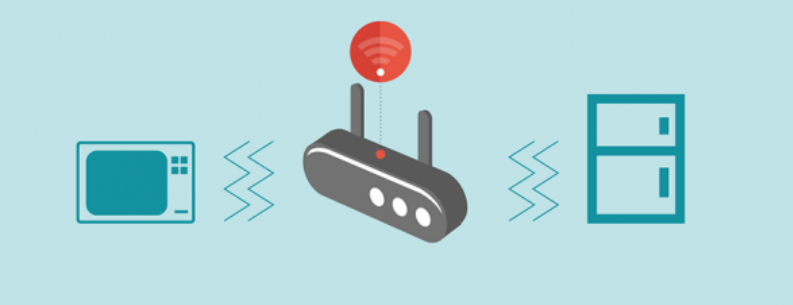
3. Certain household appliances can also interfere with Wi-Fi signals.
The wireless signal transmission frequency is:
(802.11b/g/n is 2.4GHz, 802.11a/n/ac is 5GHz). This frequency is the same as that of microwave ovens, refrigerators, wireless mice, and some cordless phones. This can cause co-channel interference, and the closer the distance, the greater the impact. If there are multiple wireless signals nearby, signals on the same or adjacent channels can interfere with each other, resulting in reduced stability.
Here are a few ways to boost your WiFi signal!!
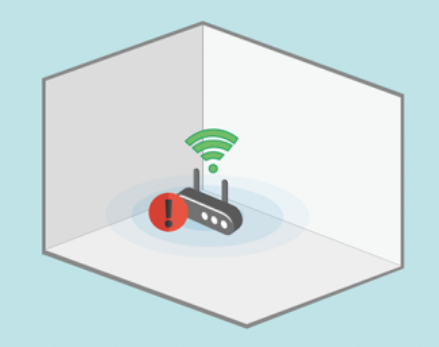
1. Find a cozy spot for your router.
Placing the router in a hidden corner can weaken the signal, so it's recommended to place it in a spacious area. If you have a duplex or large apartment, it's best to place the router in the center of the house.
 2. Reduce Interference Settings
As mentioned above, refrigerators, microwaves, and other devices can interfere with the signal. Remember to move any interfering appliances further away.
3. Manually Expanding Coverage
A. First up is the DIY can signal diffuser, which everyone has heard of.
Cut the bottom of the can in a circular pattern, unfold it, and insert the router antenna through the can opening.
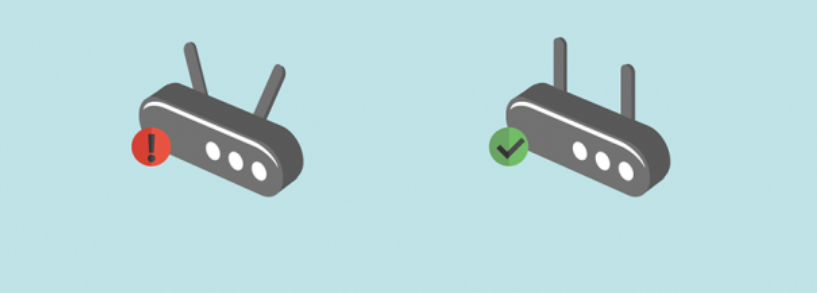
B. Adjusting the Antenna: Most routers are equipped with omnidirectional antennas, which provide a "circular" three-dimensional coverage pattern. Adjusting them vertically will provide wider signal coverage.
4. Restart your router regularly.
Overheating, aging, excessive downloads, and other factors can cause reduced signal coverage. Consider restarting your router regularly.
Restarting your router can make your Wi-Fi faster and more stable.

5. Find the Correct Wireless Channel
It's a frustrating fact, but wireless routers are now standard equipment in almost every home. It would be strange if the signals didn't conflict! Wireless routers can choose different channels to operate. You can use a Wi-Fi scanner like Wi-Fi Stumbler or Wi-Fi Analyzer to find the optimal channel in your home.
That's all for today. I'm sure you've all come up with some great ways to boost your WiFi signal in your daily life and work. Feel free to share!


